Coming soon to Meta Quest 3 and 3S
Your home speaks Italian.
Put on your Quest and the room around you turns into the lesson. Your table, your plant and your mug get Italian names. Pinch two of them together and the grammar clicks. Ten minutes a day, from your chair, no controllers.
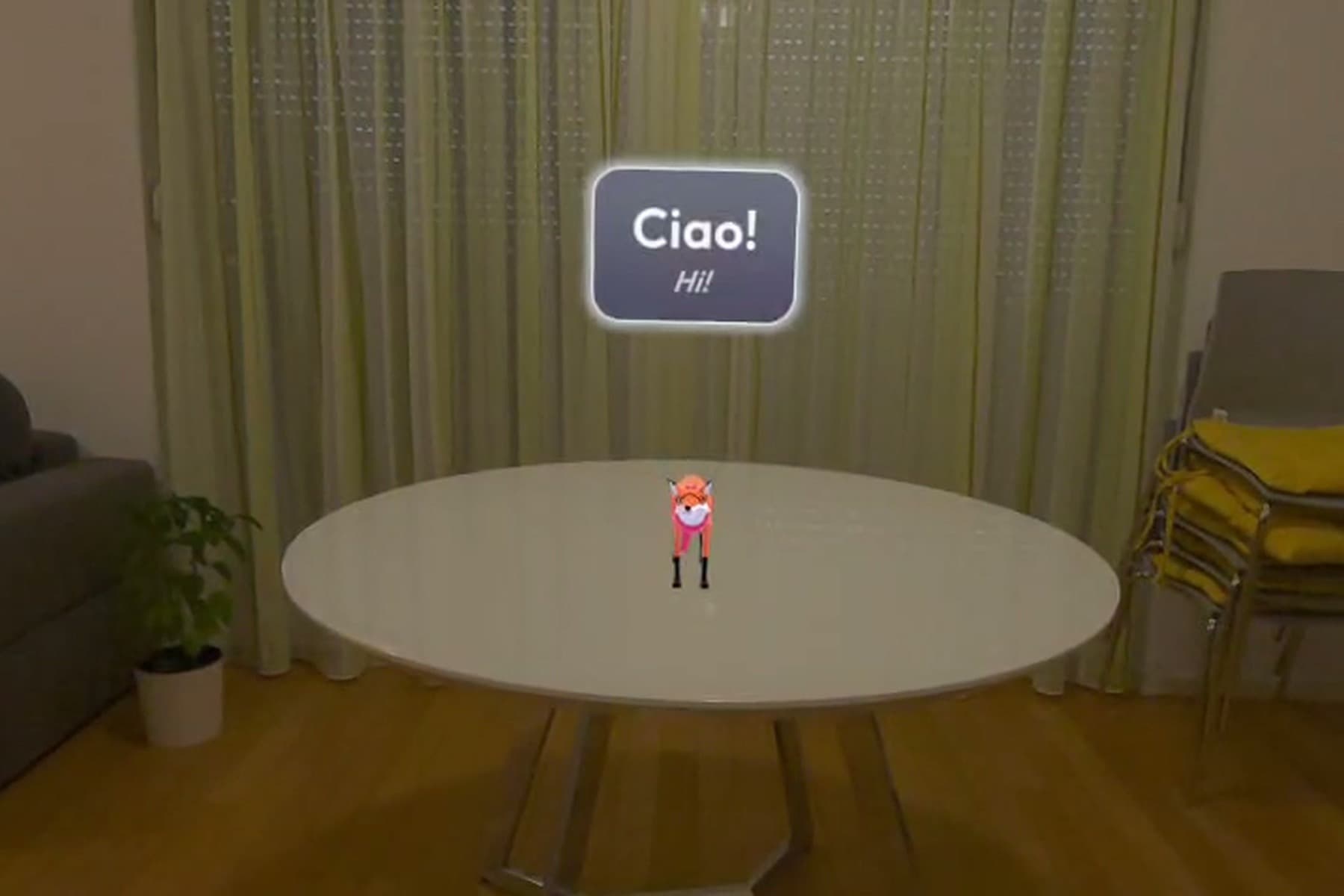
Stop memorising lists. Start pointing at things.
Lang is a memory palace you already live in. Three moves, all with your hands.
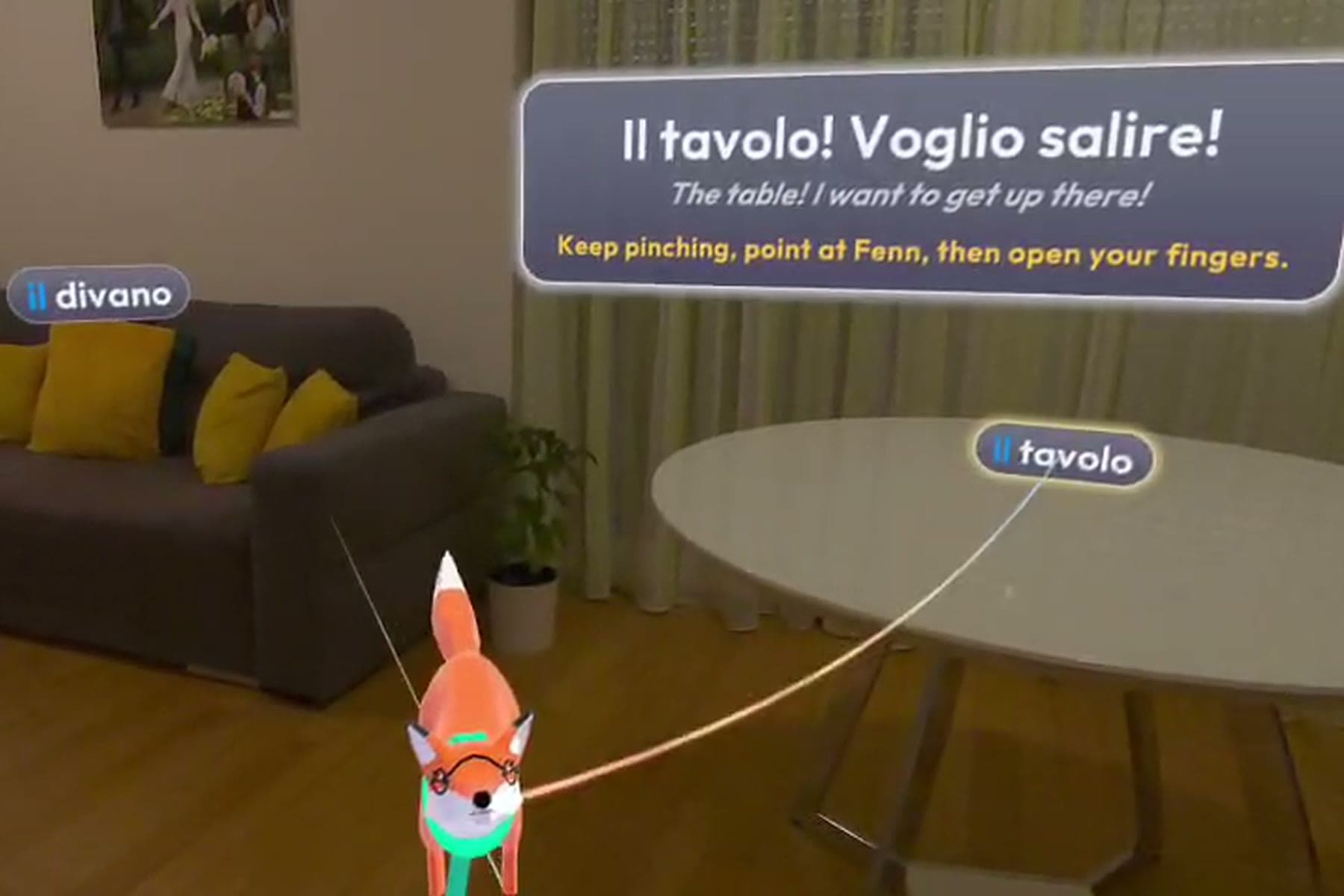
Label it.
Your sofa has an Italian name now.
Lang reads your room scan and the camera, then pins the Italian word, article included, on the real thing: il divano, la finestra, il tavolo. Something it missed? Stick a word on it yourself.
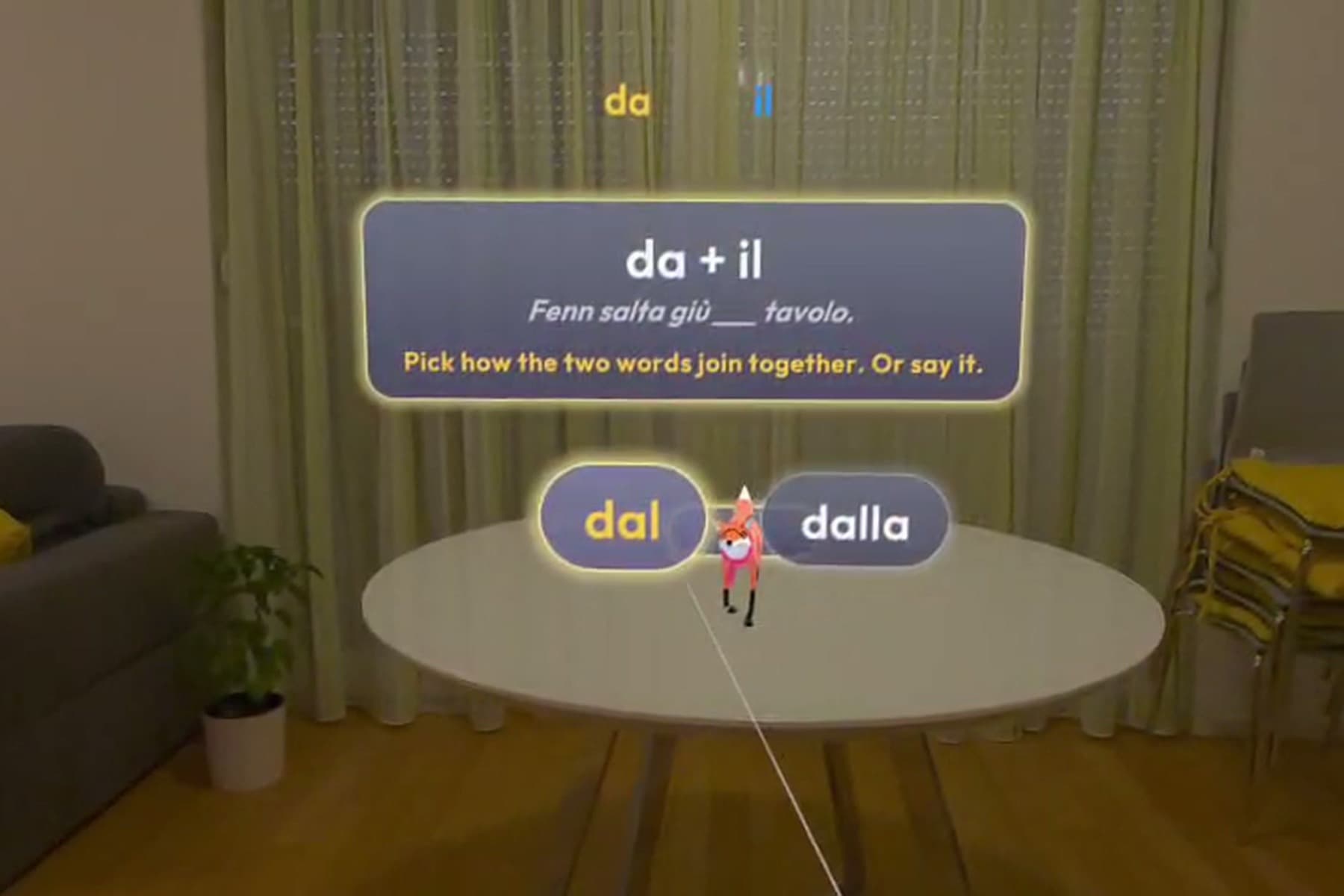
Weave it.
Grammar you can grab.
Pinch a word, pull a golden thread to another one and pick the preposition. Then snap da into il with your hands. Dal or dalla? The noun decides.
Fenn is on her way...
Pick an answer and watch her react.
Feel it.
Meet Fenn. She takes your Italian literally.
Fenn the fox acts out every sentence you build. Get it right and she leaps onto the book. Pick the wrong preposition and she jumps the wrong way. Pick the wrong form and she slips. No red X, ever.
This is her real 3D model, live in your browser. Drag to spin her. In the headset she also wears her scarf, bow and reading glasses.
Su + lo = sullo. Try it yourself.
Italian glues prepositions to articles, and the noun picks the glue. In Lang you snap the two pieces together by hand. Here you can do it with a click.
1. Take a preposition
2. Push it into an article
Drag with a mouse or finger, or pick a preposition and then a noun with the keyboard.
Italian fuses the preposition with the article. Fenn is waiting on the table to try it.
| Preposition | + il | + lo | + l' | + la |
|---|---|---|---|---|
| a (to, at) | al | allo | all' | alla |
| da (from, off) | dal | dallo | dall' | dalla |
| di (of) | del | dello | dell' | della |
| in (in, into) | nel | nello | nell' | nella |
| su (on, onto) | sul | sullo | sull' | sulla |
Jump on, jump off. The move picks the word.
How you move Fenn decides the verb and the preposition. Resting is one sentence, dropping her is another, pulling her away is a third.
Leave Fenn sitting on the book.
Fenn è sul libro.
Fenn is on the book.
Then the zoo moves in.
When your room runs out of words, open a scene. Gorillas, tortoises and tractors land on your table, and Fenn turns them into games. Every screen below was captured in the headset.
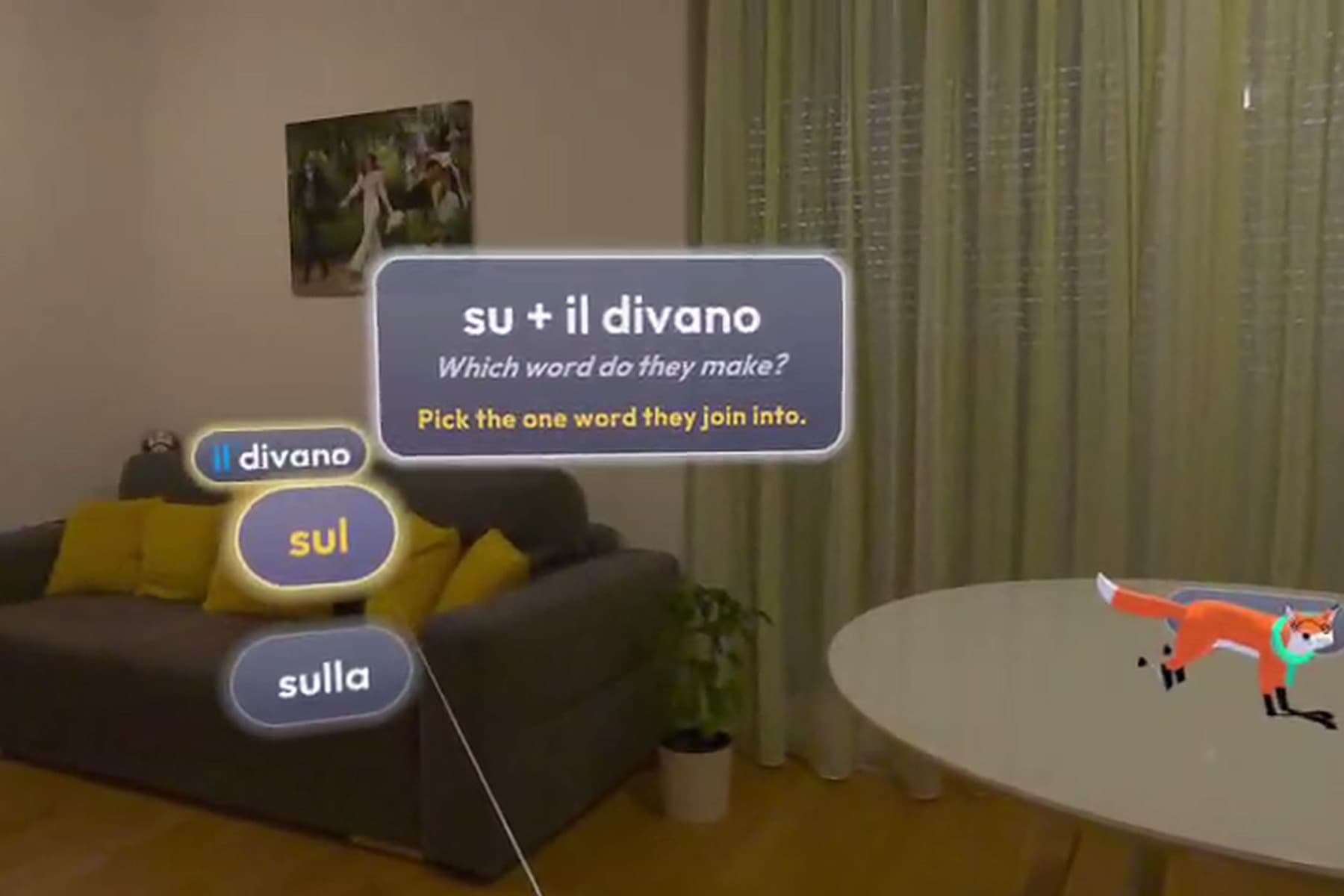
Fenn salta sul divano.
Pick sul, and Fenn leaps onto your real sofa.
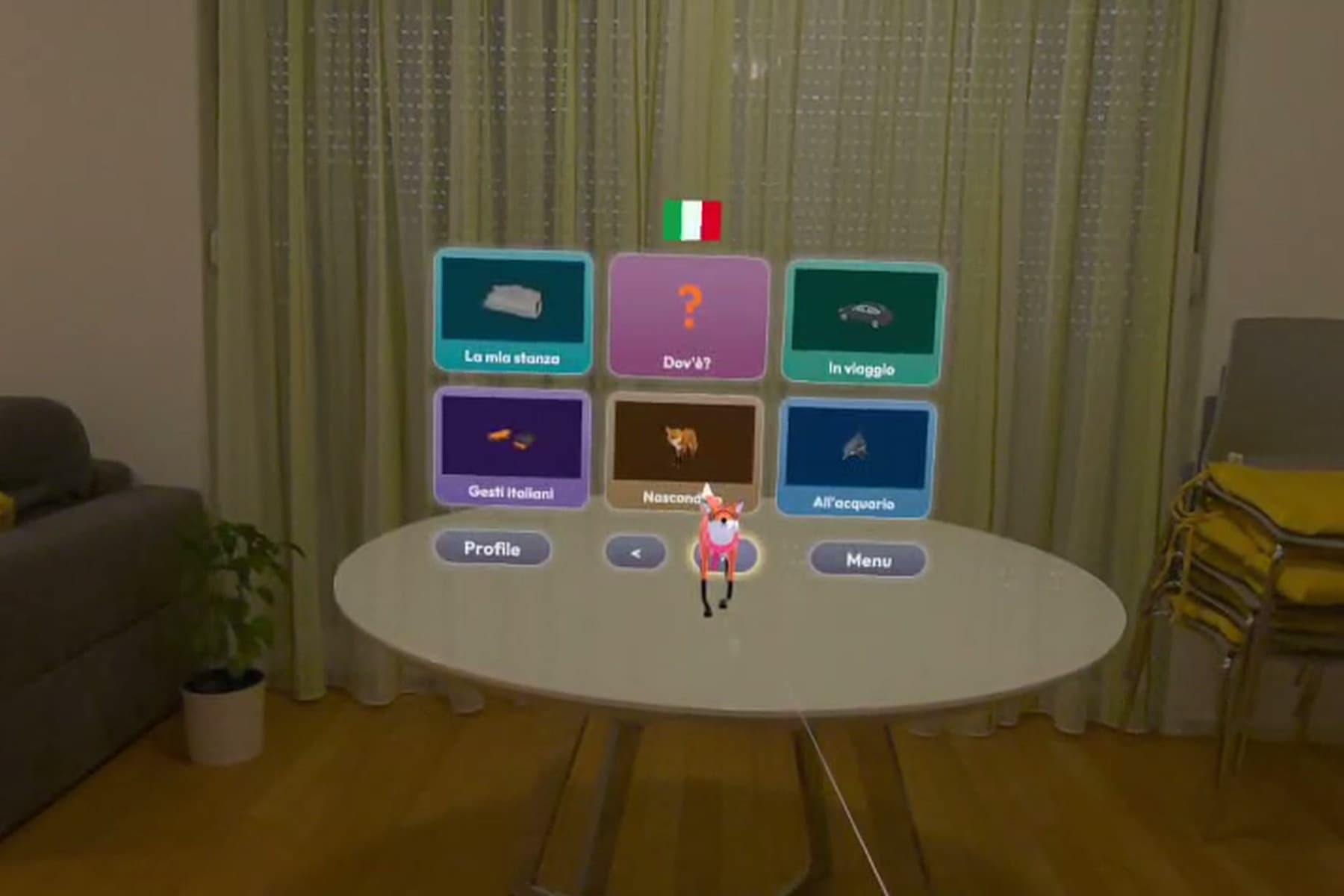
Cosa vuoi imparare oggi?
Every activity is a big tile: your room, games and scenes.
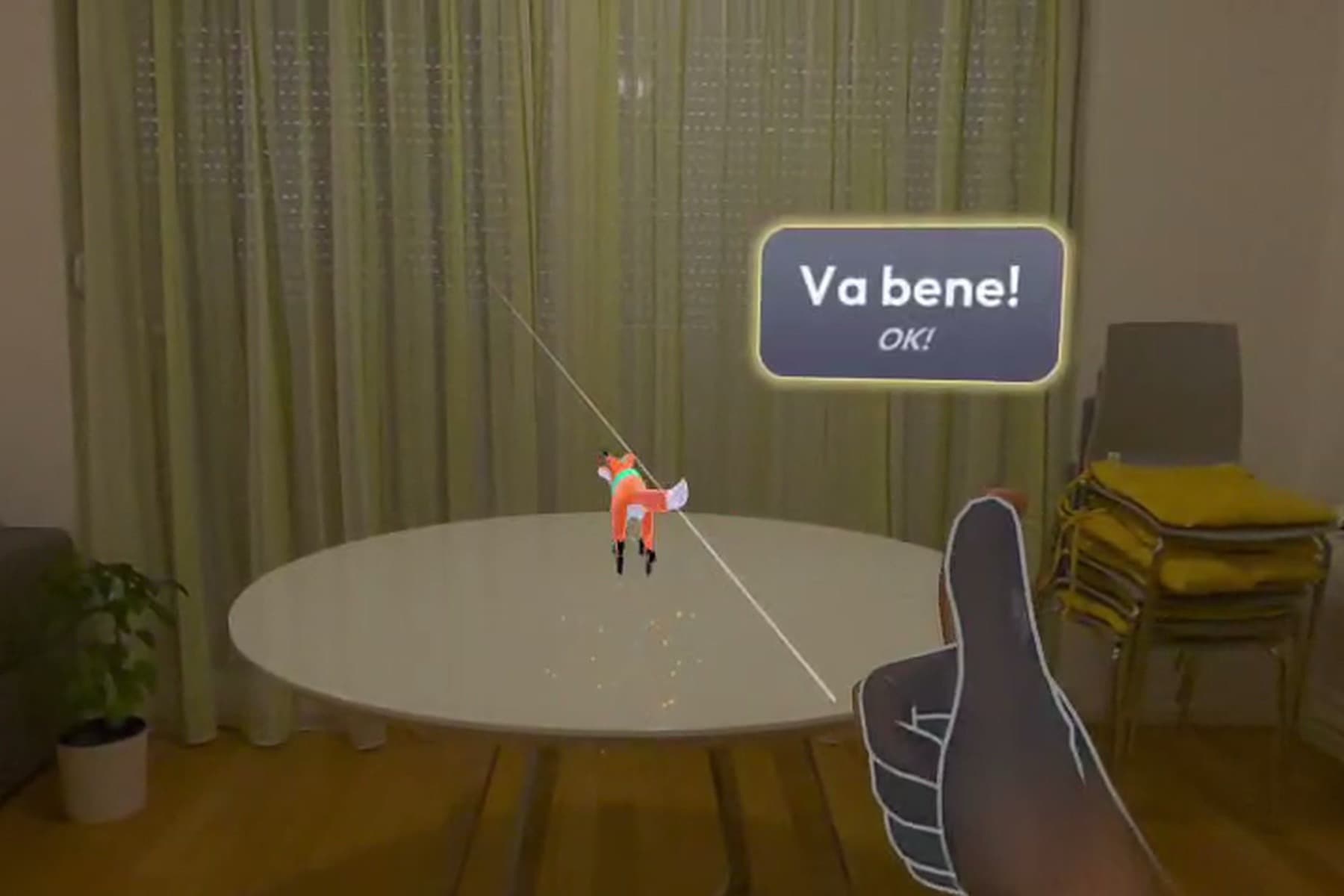
Va bene!
Italian hand gestures, read straight from your fingers.
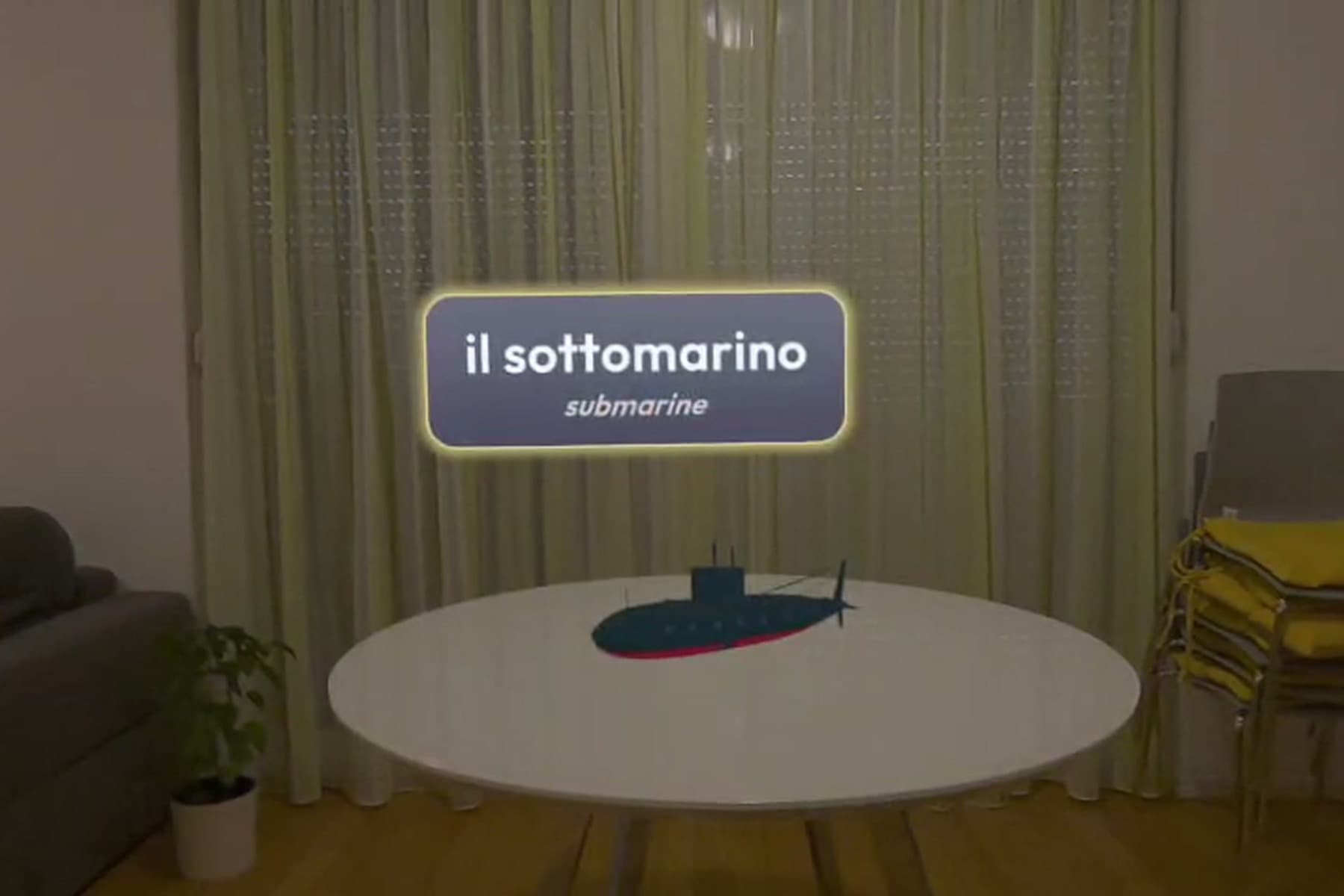
Il sottomarino
Every word has its own 3D model and voice.
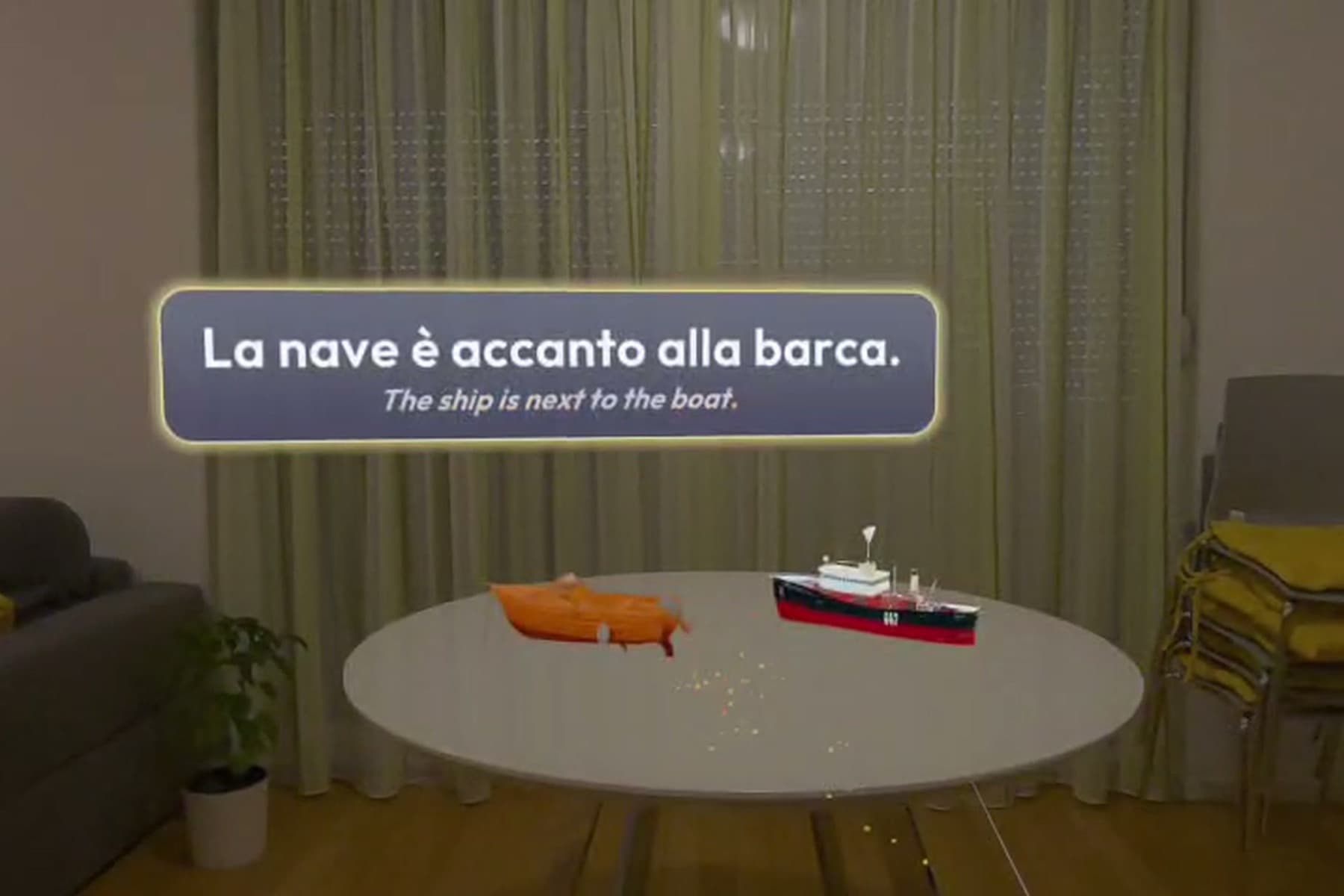
La nave è accanto alla barca.
Where is it? Sopra, sotto, accanto: read it off your table.
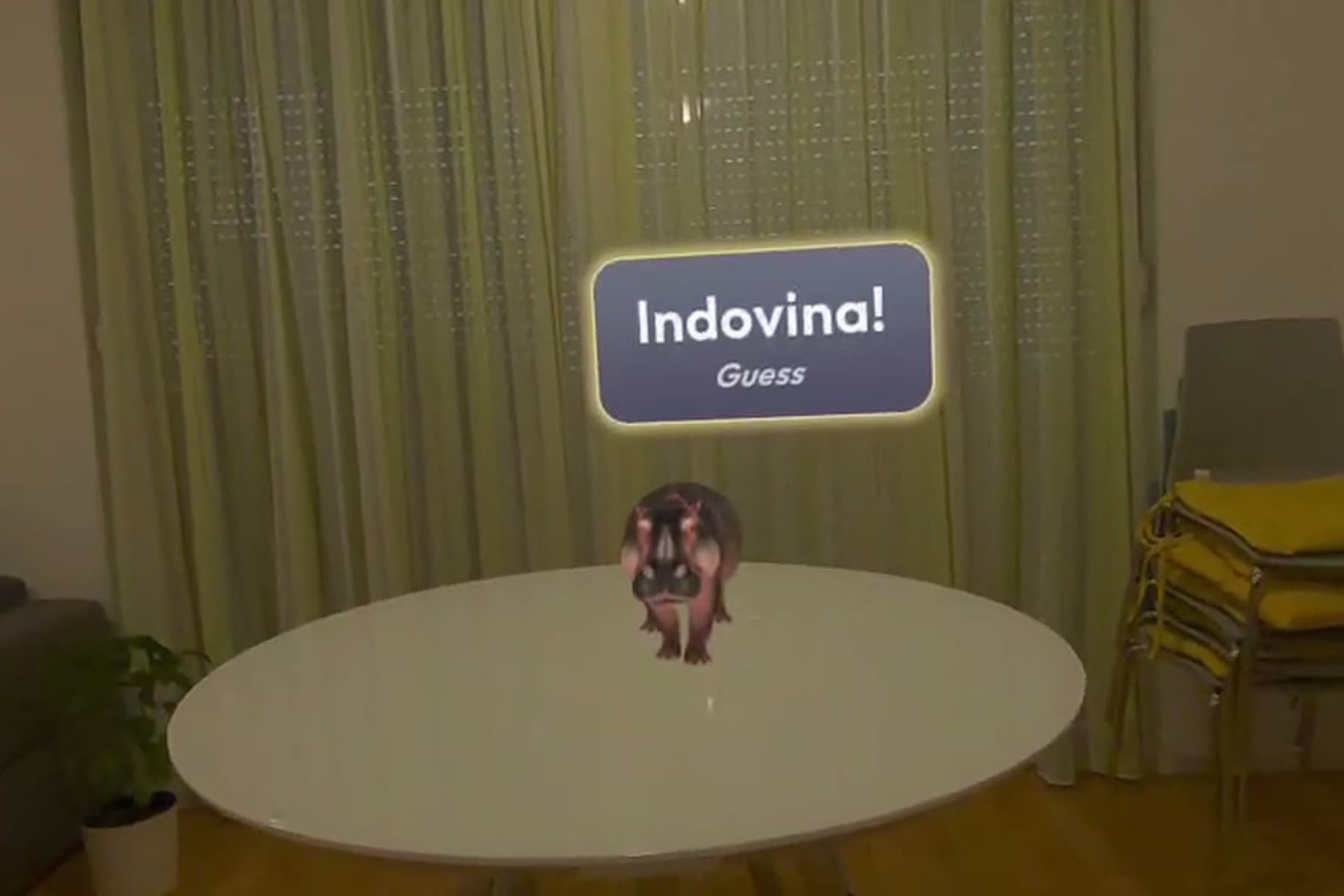
Indovina!
The zoo lands on your table. Guess the word.
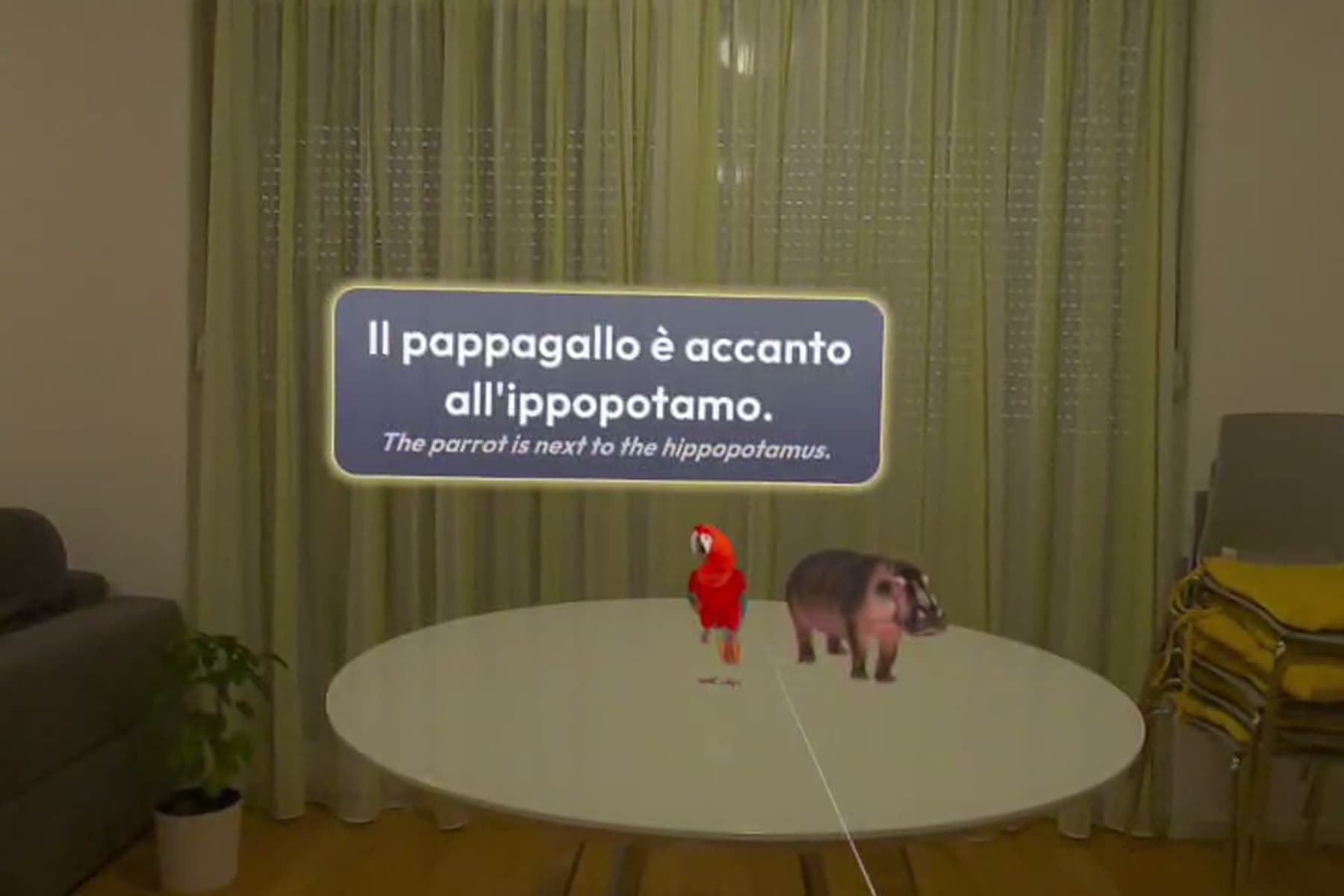
Il pappagallo è accanto all’ippopotamo.
Fill the gap, and the answer shows on the table.
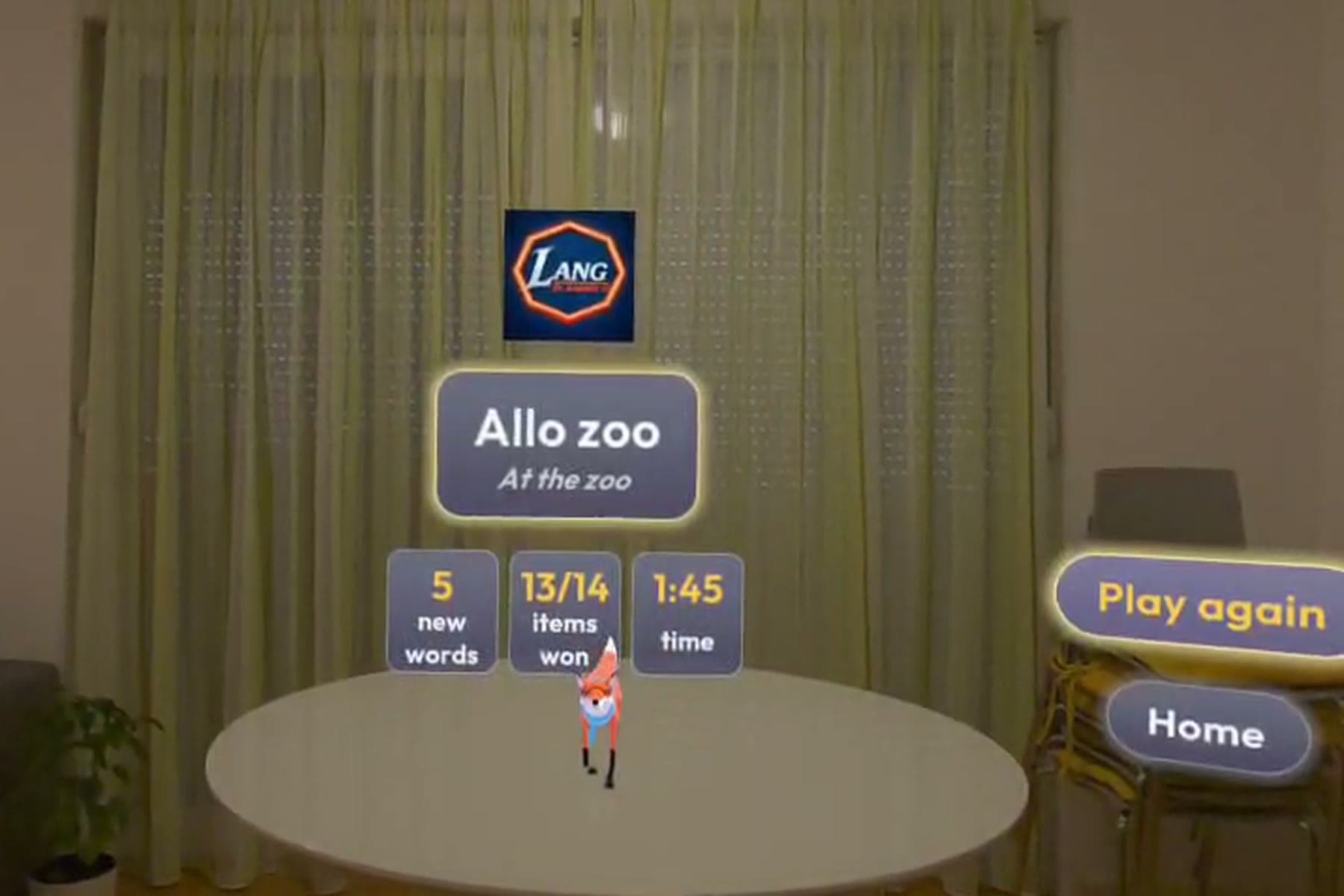
Allo zoo
Five new words, 13 of 14 won, in one minute forty-five.
Ten minutes, start to streak.
Every session follows the same rhythm, from Fenn’s first Ciao! to tomorrow’s reviews.
Greet
Fenn says Ciao!, and if you wave back she answers Buongiorno! or Buonasera! by the time of day. Then she asks what you want to learn. On your first start, a short tour shows how to point, pinch and pet Fenn; skip it any time.
Discover
Pick your room or a scene. New objects glow or land on your table. Pinch one to hear its name.
Play
In your room, draw a thread, pick the preposition, fuse it with the article and watch Fenn act it out. In a scene, name it, find it, count it and pick where it is.
Recall
In your room, labels fade on the words that are due. Find the object and pick its name, article included.
Stats
Words learnt, items won and time. The Lang logo fills with today’s XP. Play again or go home.
Everything in the box.
No subscription, no in-app purchases, and it all runs on the headset with no internet.
Hands only
Pinch, drag and pick with your fingers. You never need to pick up a controller.
Seated, small space
Everything works from a chair within arm’s reach. Point at far objects with a hand ray and pinch.
A memory palace in your room
Words stay where they belong. Spaced repetition brings each one back right before you would forget it, and Fenn sticks a Ripassami! note on every word you review in your room.
Works offline
Labels, weaving, scenes, the grammar engine and your reviews all run on the headset, with no cloud AI and no network.
Scenes
Visit the zoo, the aquarium, the street or a world of vehicles. Their objects appear on your table and you count them in Italian, on a chip or on your fingers: un gatto, tre gatti. At the end, Fenn poses with them for a postcard photo.
Progress you can see
XP, a daily goal ring that fills the Lang logo, streaks with a freeze for busy days, and seven word badges. Each badge gives Fenn a new colour for her scarf and bow and shows on your Meta Horizon profile.
Hear every word
Every word has Italian audio, singular and plural, approved by a native speaker. You can answer some questions aloud; speech is recognised on the headset, and speaking is always optional.
Dov’è?
Fenn asks where things in your room are, in Italian. Answer aloud or pick a chip: sul tavolo.
Italian gestures
Fenn teaches four friendly Italian hand gestures, from Va bene! to Ma che vuoi? Make each one and the headset reads your fingers.
Hide and seek
Fenn hides behind your real sofa or next to your table. Find her and pick where she is: dietro il divano.
Show me
Pick a word and its 3D model appears on your table. The word joins your reviews.
Topics
Pick a topic such as animals, clothes or food and drink, and its words join your lessons.
Accessible by design
Look and pinch, either hand, adjustable label size, high-contrast labels and a colour-blind-safe gender palette.
Private by default
Camera frames are processed on the headset and never stored or uploaded.
Questions
Can I download Lang today?
Not yet. Lang is in development for the Meta VR Start Developer Competition 2026, and it is coming soon to the Meta Horizon Store. Sign up for launch news to hear when it is ready.
Which headsets does it run on?
Meta Quest 3 and Meta Quest 3S. Lang uses passthrough mixed reality, hand tracking and the room scan of these headsets.
Do I need controllers?
No. Every part of Lang works with your hands alone. Point at a choice with the ray from your hand and pinch. The ray reaches across the room, so you never need to stand up.
Do I need a big room or have to stand?
No. Lang is built to be used seated, within arm’s reach. Objects across the room can be targeted with a hand ray and pinched from where you sit.
Which languages can I learn?
Italian, taught from English. We chose one language pair so it can be done properly, and every Italian word and sentence is reviewed by a native speaker before release.
Does it work without internet?
Yes. Everything runs on the headset, and every word, 3D model and voice clip ships with the app. Lang makes no network calls while you learn.
What happens to what the cameras see?
Lang recognises objects on the headset itself. Camera frames are never stored and never leave the device. Sending an image to a cloud service is off by default and would need your explicit opt-in.
Who is it for?
Beginners and early learners, roughly levels A1 to A2. A session takes 10 minutes or less, so it fits next to your morning coffee.
Coming soon.
In development for the Meta VR Start Developer Competition 2026. Coming soon.
Leave your email and we will tell you the day Lang lands on the Meta Horizon Store.
Quest 3 and 3S
Passthrough mixed reality, tuned for the lighter Quest 3S too.
No controllers
Point and pinch. Answer some questions out loud if you like.
From your chair
Seated, within arm’s reach. No standing, no walking.
10 minutes a day
Under 20 seconds to start. Leave any time, progress is kept.